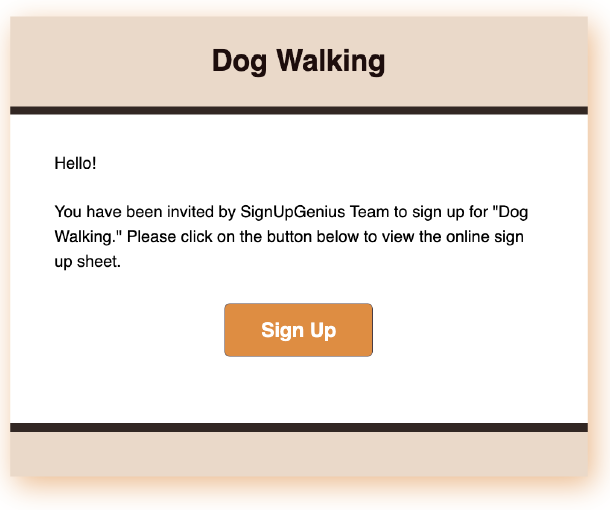
When you receive an invitation to sign up, you can complete the sign up with or without creating an account. If you receive an emailed invitation, click the Sign Up button in the email to access the sign up page.
Standard Sign Up
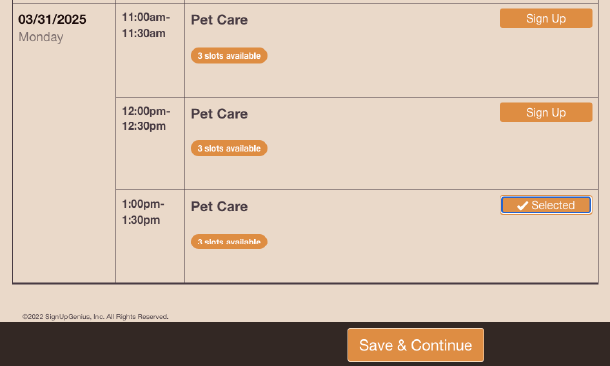
- Click the Sign Up button next to the slot(s) you want to sign up for.
- Scroll to the bottom of the page and click the Save & Continue button.
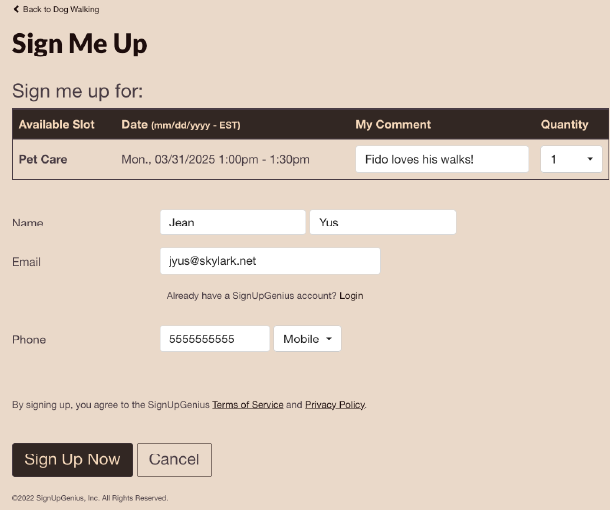
- On the next page, enter your first and last name and email address. You do not need an account to sign up.
- Depending on the sign up, you may be asked to fill in some other fields in addition to your contact info.
- After you have completed the form fields, click Sign Up Now at the bottom of the page.
From the Thank You page, you can:
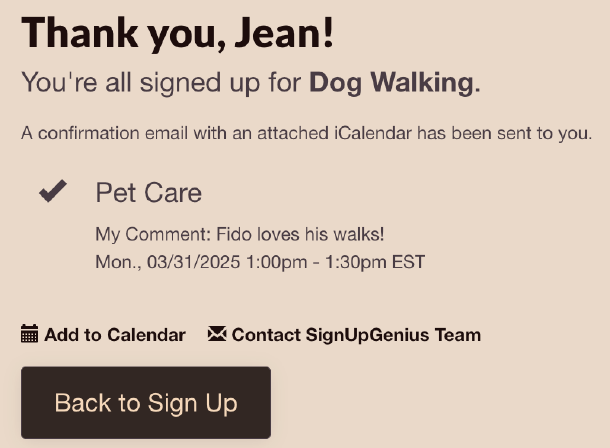
- Click on a calendar icon to add the item to your digital calendar.
Click Share with Friends to spread the word through Facebook, Twitter or Pinterest.
You will also receive an automatic confirmation email. If you have an account, you can log in to your account at any time to view your active and past sign ups.
RSVP Sign Up
Note: The view of an RSVP sign up is slightly different from a standard sign up format with two columns. When you are ready to respond, click the RSVP Now button.
.jpg)
- On the next page, choose your response - Yes, No, or Maybe - and enter the number of guests attending if you respond Yes.
- If you want to sign up to bring an item for an event, such as a potluck, you will see your options under the text that reads "Sign Me Up For".
- Under the heading "Available Slot," select an item from the drop-down menu.
.jpg)
- Select your item(s) and enter additional information in the comment field.
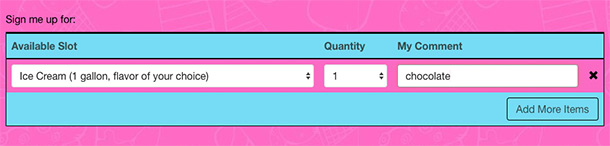
- To bring more than one item, check the box labeled "Add more items."
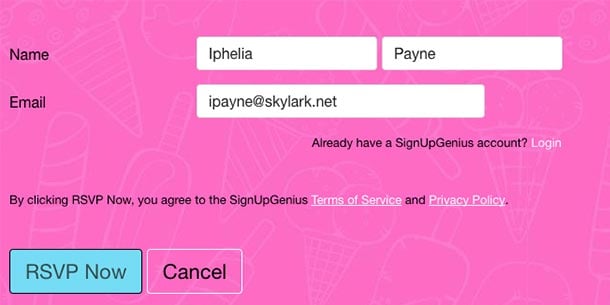
- Enter your first and last name and email address. Click RSVP Now at the bottom of the page to complete your sign up.
- The Thank You page will display next.
.jpg)
- Click the calendar icon to add the item to your digital calendar.
From this page, you can also click Share with Friends to spread the word through Facebook, Twitter, or Pinterest.
You will also receive an automatic confirmation email. If you have an account, you can log in to your account at any time to view your active and past sign ups.