Delegating is a good thing! You can add additional administrators to your account with one of our paid plans. If you don't already have a paid subscription, we offer a 10-day free trial to check it out. The subscription level you have will determine the number of additional admins you can assign. Since you are the account holder, you are the Main Administrator and have all permissions for your account. You do not need to add yourself to any admin role.
To add an additional admin to your paid account, log in and click Admins on the left side of your dashboard. Here you can view current roles, edit roles, create custom roles and assign admins.
- On this page, you can view any current roles already established for the account.
- If you would like to create a different role, click Add Custom Role.
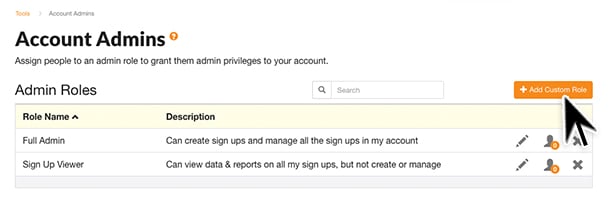
- Enter the Role Name and a brief description if desired. Click Save.
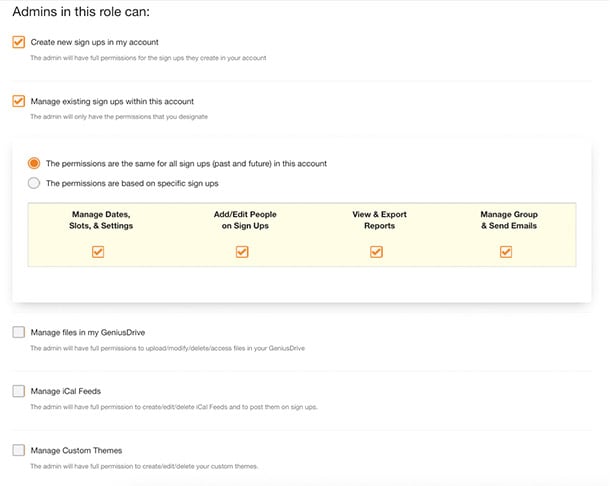
- You can now check the permission(s) you wish admins to have for this specific role by clicking on the edit (pencil) icon to the right side of the admin role row.
- Select role permissions by checking or unchecking a variety of fields and click Save.
- To assign admins to a role, click the person icon at the end of the row.
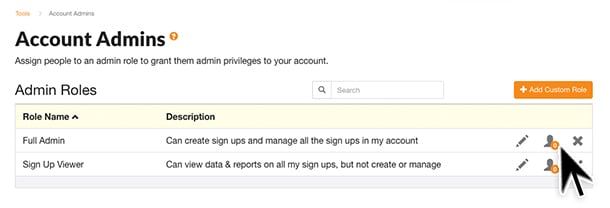
- Click Assign People to Role.
- Enter the First Name, Last Name and Email Address for the person you wish to assign.
- To send a notification to the newly added admin, click the box that reads: Send email notification with the following text.
- Select Save.
Sub-admins can access your account by logging in with their SignUpGenius email and password and selecting Login as Admin. You can learn more about how a sub-admin logs in here.
Learn more about how our multiple admin feature can help your group on our blog.