If you signed up with an account
If you signed up with an account (using an email and password), log in and select the Signed Up option from your dashboard.
Click Manage Slots (or Edit if you're on a mobile device) to edit details associated with your sign up.
If you want to delete yourself from a sign up slot
Click the X icon (or Delete if you're on a mobile device) and confirm on the next screen that you want to remove yourself. If you need to sign up for a different date/time, you can go back to the sign up and select a new one after your original entry is removed.
If you signed up without an account
You can go back to the sign up by following the link that was provided in your original invite. When you view the sign up, you'll see a link at the top that states, Already signed up? You can change your sign up. Click that link to follow the steps to make changes to your sign up slot.
Alternatively, you can go back to the confirmation email you received after you signed up. The confirmation email will include a link reading Edit My Sign Up:
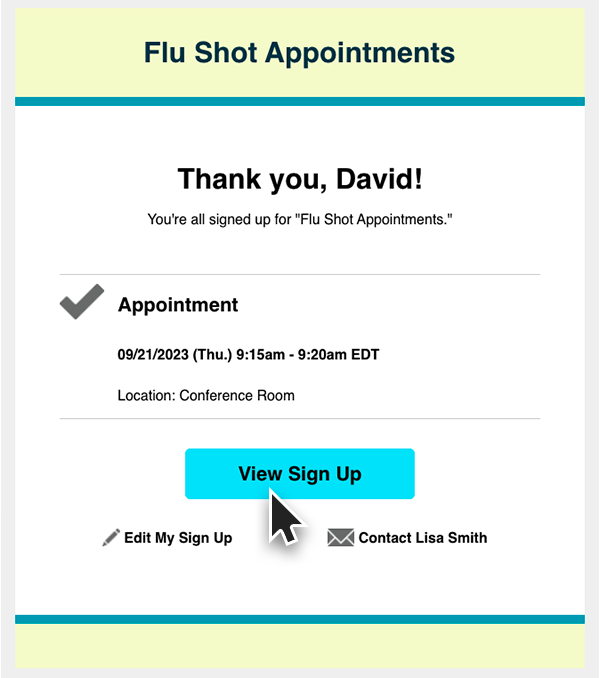
Note: If you don’t see an edit or pencil icon, the organizer may have disabled edits after signup. In that case, please contact the event organizer directly.